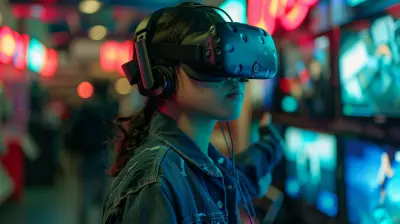
Building Your First VR Gaming Setup on a Budget
28 June 2026
So, you're itching to dive into the world of virtual reality gaming — but your wallet is giving you the side-eye. Don’t worry, you’re not alone. VR gaming is no longer just for tech millionaires or super nerds with state-of-the-art equipment. With a little know-how, some clever choices, and a touch of patience, you can get your first VR gaming setup running without going broke.
Let’s break down exactly how to build a killer VR setup without torching your bank account.
Why Even Bother with VR Gaming?
Imagine stepping into a game where you're not just holding a controller — you're in the game. You move, it moves. You blink, it reacts. It's like switching from black-and-white TV to 4K — once you experience VR, flat gaming feels like watching paint dry.But here's the kicker: it doesn’t have to cost you a fortune.
Set Your Budget (and Stick To It)
Before you go wild clicking “Add to Cart” on every snazzy VR headset you see, figure out what you can realistically spend. A good starter budget for a VR gaming setup is around $600 to $1000 — this includes the headset, gaming PC or console (if needed), and maybe a few accessories.The more you DIY and bargain hunt, the lower that number can go.
VR Headset: Where the Magic Starts
Let’s get real — the headset is the heart of your setup. It’s the thing that makes VR, well... VR.? Best Budget-Friendly VR Headsets
1. Meta Quest 2 (Formerly Oculus Quest 2)- Price: ~$299
- What’s good? It’s wireless, easy to set up, and doesn’t need a gaming PC.
- What’s the catch? Lower graphical fidelity compared to premium headsets.
2. HP Reverb G2
- Price: ~$350-$450
- A step up in visuals, perfect for PC gamers who want crisp detail.
- But you'll need a decent gaming PC to power it.
3. Used Oculus Rift S or Quest 1
- Price: Varies (~$150-$250)
- Check Facebook Marketplace, eBay, or Reddit’s r/GameSale.
- Just be cautious — always test before buying secondhand!
? Pro Tip: Go for a wired headset if you're on a tighter budget. They're usually cheaper and more powerful.
The Gaming PC Conundrum
Here’s where things can get a little tricky. Some VR headsets need a gaming PC to run. Others, like the Quest 2, can work standalone but benefit from being connected to a PC via Oculus Link.? Do You Even Need a Gaming PC?
- No, if you get Quest 2: It plays games like Beat Saber and Superhot on its own.- Yes, if you want more serious VR games: Think Half-Life: Alyx or Skyrim VR.
? Build or Buy?
If you’re into gaming beyond VR, consider investing in a budget gaming PC. You can:- Build a PC: You’ll save cash and get more bang for your buck.
- Buy refurbished: Tons of legit re-sellers offer VR-ready PCs under $600.
? Minimum PC Specs for VR Gaming:
| Component | Recommended Minimum ||---------------------------|---------------------|
| Graphics Card (GPU) | GTX 1660 / RX 580 or better |
| Processor (CPU) | Intel i5 / AMD Ryzen 5 |
| RAM | 8GB (16GB preferred) |
| USB Ports | 1-2 USB 3.0 ports |
| Operating System | Windows 10 or 11 |
? Tip from Experience:
Don’t get hyped over RGB and liquid cooling when you're on a budget. Put your money where it matters — the GPU and CPU.Accessories That Elevate the Experience (Without Draining Your Wallet)
Okay, so you’ve got your headset and PC. But little upgrades can really boost your immersion level — and they don’t have to cost much.? Headphones
Yes, your headset might have built-in audio, but a decent pair of headphones can make you feel like you're actually in a haunted house or alien warzone.- Budget pick: Logitech G432 or Sony MDR-ZX110 — both under $40.
? Controllers & Motion Tracking
Most headsets come with their own motion controllers. But if not?- Buy the matching set for your headset — don't try to mix and match.
- Don’t bother with full body tracking yet — fun, but expensive and not necessary for beginners.
? Games You Can’t Miss (Under $30)
- Beat Saber – A must-have. Rhythm lightsaber slicing.- Superhot VR – Time moves when you move. Think The Matrix in slow-mo.
- Job Simulator – A quirky intro to VR physics.
- The Walking Dead: Saints & Sinners – Worth it if you catch it on sale.
Look for Steam sales, Oculus store deals, and game bundles on Humble Bundle.
Making Space: Your Real-Life "Player Area"
No one wants to uppercut a wall or knock over grandma's vase. Trust me — clear some space.? Create a Safe VR Zone
- Minimum: 6.5ft x 6.5ft (2m x 2m) of open space.- Remove low-hanging lights, coffee tables, and pets (yep, they sneak in).
- Use rugs or foam padding to mark your play area — think of it like your VR arena.
Setup Tips to Avoid Headaches (Literally)
✅ Adjust Your Headset Properly
Don’t just slap it on your face. Adjust the straps, align the lenses, and make sure you're not squeezing your skull. Comfort = longer play sessions.✅ Take Breaks
VR is intense. Give your eyes and brain a breather every 30-40 minutes.✅ Keep Things Clean
Use microfiber cloths for lenses. Don’t let sweaty straps sit too long — they can stink. A clean headset is a happy headset.It's Okay to Start Small
You don’t need the $3,000 setup with haptic gloves, omnidirectional treadmills, and motion-sensing walls. VR is still amazing even with a basic headset and a handful of games.Start with what you can afford, enjoy the heck out of it, and upgrade later. It’s a journey, not a one-time purchase.
Budgeting Recap: Sample Setups
Here’s a quick cheat sheet to help you plan your budget.? Starter Setup (~$400-$600)
- Meta Quest 2 (128GB): $299- Optional Accessories: Headphones ($30), Case ($20)
- Free/cheap games: Beat Saber Demo, Rec Room, VRChat
? Mid-Range PC Setup (~$800-$1000)
- HP Reverb G2: $400- Used Gaming PC (GTX 1660, i5, 16GB RAM): $500
- Steam games bundle: $50
Final Tips Before You Dive In
- Don’t overspend on “VR widgets” or gimmicks for now.- Join VR communities like Reddit’s r/virtualreality or Discords — they’re treasure troves of advice.
- Watch YouTube reviews and setup guides before buying.
- Set realistic expectations. Graphics might not be PS6-level, but the immersion? Mind-blowing.
The Bottom Line
You can absolutely enjoy a wild, immersive VR gaming experience without needing to take out a second mortgage. With the right headset, a capable gaming PC (or standalone option), and some space to move around, you're good to go.Remember: VR is a rabbit hole — but it's a FUN one. Start small, game smart, and upgrade as you go. Ready to step into a whole new world?
all images in this post were generated using AI tools
Category:
Vr TechnologyAuthor:

Tina Fisher
Discussion
rate this article
1 comments
Opal McGowan
Great article! It's refreshing to see practical tips for setting up a VR system without breaking the bank. Your insights will definitely help newcomers get started without feeling overwhelmed.
June 30, 2026 at 2:32 PM
Tina Fisher
Thanks for the kind words! I'm glad you found the tips helpful. Happy gaming!